Discover the Future
of Secure Online Banking
with Bank Windhoek
Welcome to Facial Recognition, our new biometric standard that securely identifies you across multiple banking channels, including
iBank, the Mobile App, Self-Service Banking devices and selected in-branch services.
As we transition to Facial Recognition as our preferred method of authentication, you can look forward to stronger protection, greater convenience and peace of mind every time you bank. Here is everything you need to know about this innovative feature and the benefits it brings to your banking experience.
Why Facial Recognition?
Facial Recognition authentication uses your unique facial features to verify your identity. Unlike passwords or PINs, your face cannot be shared, forgotten, or guessed, making it one of the safest ways to protect your banking.
Facial Recognition adds an advanced layer of security while keeping your experience simple and seamless.
What Is Facial Recognition?
Facial Recognition is a biometric technology that identifies you using the unique characteristics of your face. Biometrics can include fingerprints, facial or iris recognition, and voice patterns.
We have introduced Facial Recognition to enhance your banking experience by protecting your hard-earned money and helping you bank with confidence.
What Can Facial Recognition Do for You?
Facial Recognition improves security while making it easier to identify yourself. You can already:
Open an account using your face and Namibian Identity Document (ID)*
Identify yourself at your branch for selected services*
Authorise payments on the
Mobile App
Adjust your EFT limits to
higher values
Register for the Mobile App
Authorise logins and payments for Internet Banking
Soon, you will be able to:
Use your face to access services (e.g. get a replacement card) at our
Self-Service Banking machines
*Available at selected branches
Benefits of
Facial Recognition
Unlike passwords, your facial features are non-transferable. This ensures that no one can access your banking unless you are physically present.
Facial Recognition confirms that you are a real, living person, not a photograph. This creates an additional barrier for fraudsters attempting to access your accounts.
No more remembering complex passwords or carrying your ID. You can identify yourself and transact in seconds, with a consistent experience at any Bank Windhoek branch.
By using Facial Recognition, you help reduce paper usage and support a more sustainable future.

How Facial Recognition Helps Protect You from Fraud
Facial Recognition significantly reduces the risk of fraud by ensuring that:
Your identity cannot be shared,
stolen, or guessed
Fraudsters cannot use photographs or copied images to access your accounts
High-risk actions, such as payments and limit changes, are authorised by you alone
Always remain vigilant.
Bank Windhoek will never ask you to share personal information, passwords, or one-time PINs via phone, email, or social media.
Getting Started with Facial Recognition
via the Mobile App
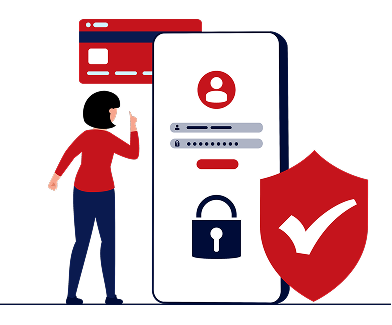
1. On the Mobile App, go to the "My Biometrics and ID" option.
2. In the side menu, upload your Identity Document (ID) and capture a selfie.
3. Once verified by the Bank your Facial Recognition will be active for use.
Getting Started with Facial Recognition
via the Branch
1. Go to Bank Windhoek branches that are enabled with biometric devices and bring along your valid Namibian Identity Document (ID), Passport, or Driver's Licence.
2. Ask any Bank Windhoek consultant to register you for Facial Recognition.
3. You'll be registered within 5–10 minutes.

FAQs
Why should I register for Facial Recognition?
It provides stronger security, protects you from fraud, and makes banking faster and easier.
How is my data stored?
Your Facial Recognition data is stored securely in line with Bank Windhoek’s standard security protocols.
Can I enrol using a Passport or Driver's Licence?
Yes. You may enroll with a valid Namibian passport or driver’s license.
What if my face has changed since my ID photo was taken?
The system recognises unique facial characteristics and will still match you correctly.
Can fraudsters use a photograph of me to access my account?
No. The system only allows access to a living, breathing person.
Can I delete my Facial Recognition data?
Yes. You can delete your data at any time by visiting a branch equipped with biometric devices.
Deletion is immediate, and you may enrol again in future if you choose to do so.
If you need more information or assistance, please contact our Customer Service Centre on
083 299 1200.
Facial Recognition is more than a feature. It is a safer, smarter way to bank as we journey forward together.